The Booking Tool For Any Church Occasion
Whether it's room rentals, appointment scheduling, or funeral enquiries: With ChurchDesk Booking Enquiries, you can create custom enquiry pages, define available resources and personnel, and control the entire process from the initial request to confirmation. ChurchDesk Enquiries is included in Medium and Large subscription plans.
A Booking Tool Made For Churches
Manage all enquiries to your church easily and efficiently. Create enquiry pages for resources or individuals and enable transparent appointment scheduling without endless back-and-forth communication.
Room Rental
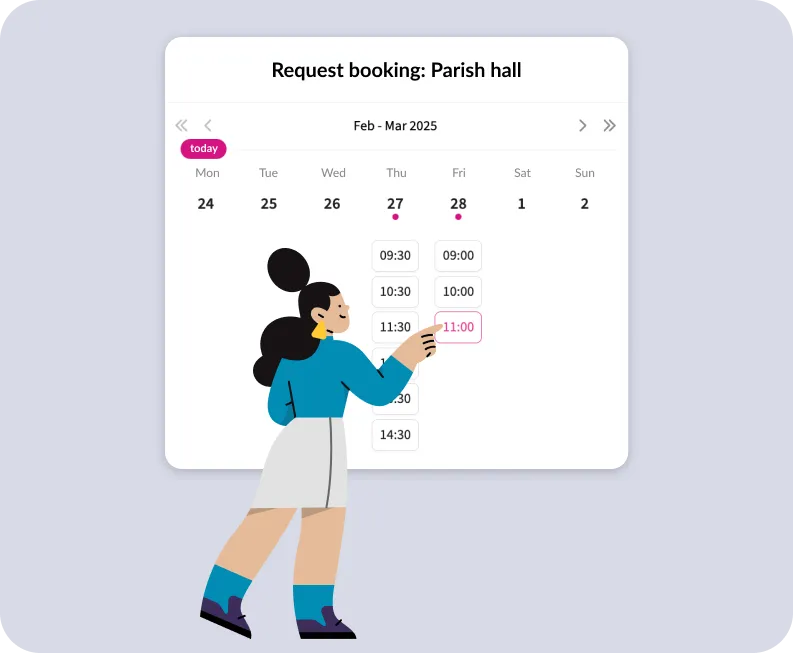
Rent out your church rooms for events, celebrations, or external enquiries – with automatic availability checks and calendar integration.
Appointments
Simplify the scheduling of appointments for pastoral care or personal conversations. Available times can be set by the clergy and then requested directly online.
Life Event Services
Baptisms, weddings, or funerals can be easily organized through the booking system – the system takes into account the availability of all necessary resources.
Tourist Activities
Offer a simple online booking option for tourist activities such as church tours or tower visits – eliminating back-and-forth emails.
Say Goodbye to Complicated Back-and-Forth Enquiries
Coordinating booking requests can quickly become overwhelming – especially when multiple people and locations are involved. This wastes valuable time. ChurchDesk Booking Enquiries simplifies this process for everyone involved: In ChurchDesk, you can create booking pages for resources and/or individuals, allowing interested parties to view available dates directly online and submit requests automatically – eliminating the complicated back-and-forth via email or phone.
- Dedicated Enquiry Pages for Resources and/or Individuals
- Reliable Display of Availability
- Simple and Clear Process
Benefit From Automated Bookings Without Giving Up Control
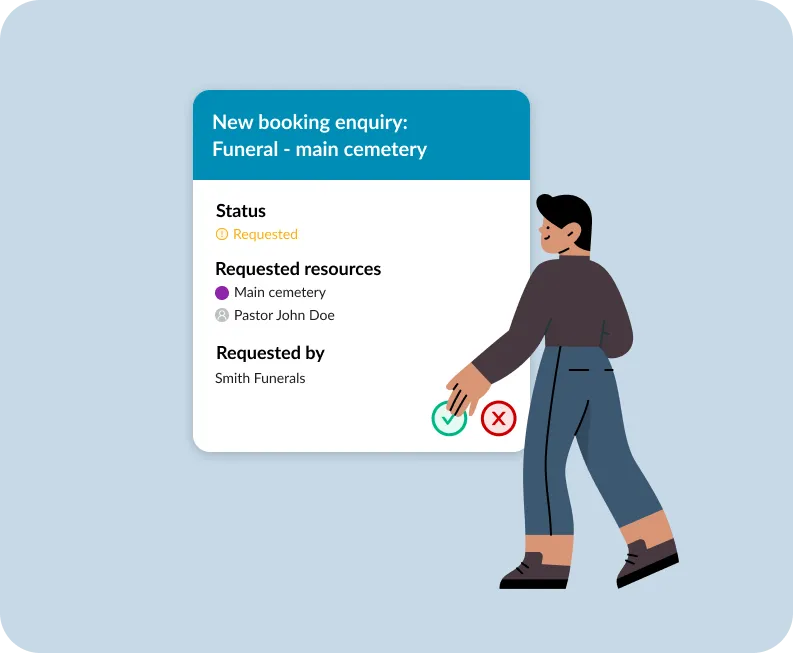
Every incoming enquiry is automatically forwarded by the tool to the designated responsible individuals, who can confirm or decline it with a single click. You retain full control throughout the process: Only a confirmed request is automatically converted into a calendar entry with all booked individuals and resources. The enquiring parties are automatically notified about the status of their request.
- Simplified Booking Process for All Involved
- Automated Notifications to Requested Individuals
- Booking Only Occurs Upon Manual Confirmation
Customized Forms at Every Booking Stage
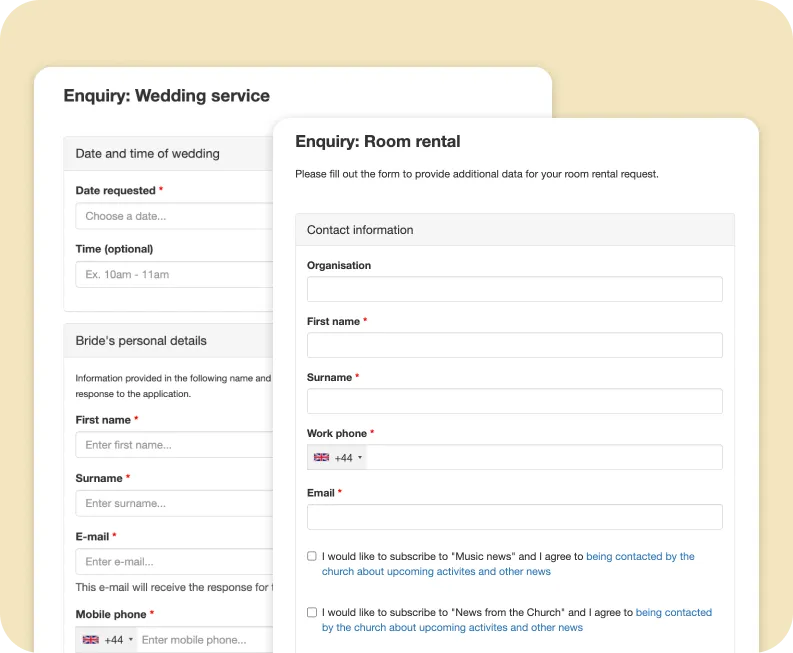
Create enquiry forms with precisely the information you need. The Forms Module is fully integrated with ChurchDesk Booking Enquiries. Optionally, a second form can also be sent automatically after booking confirmation. This allows you to gather further information, process payments immediately, or upload files.
- Custom Enquiry Forms
- Fully Integrated with the Forms Module
- Follow-up Form for Payments or File Upload
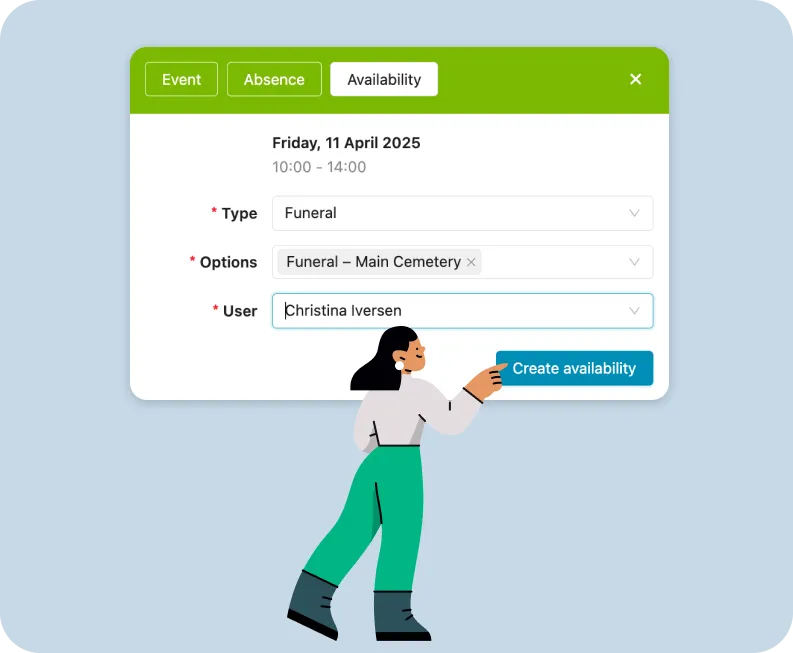
Define Availability Right in Your Calendar
ChurchDesk Booking Enquiries ensures that bookings are only possible when all necessary personnel and resources are available. The tool automatically checks all availabilities in the calendar and only displays suitable time slots for the enquiry. Thanks to real-time synchronization with all calendars, smooth planning is guaranteed.
- Precise Control Over Availabilities, Specific or Recurring
- Manual Confirmation or Rejection of Booking Requests
- Reliable Time Slots for Those Making Enquiries
Parish Enquiry Management – Integrated and GDPR Compliant
With ChurchDesk Booking Enquiries, you maintain full control over appointments, resources, and availabilities – seamlessly integrated within ChurchDesk. Automated processes simplify administration and enable transparent communication with those making enquiries.
Full Control Over Availabilities
Define regular or individual available time slots in your calendar.
Automated Notifications
Notifications to designated users; automated confirmation emails.
Automated Availability Check
Only free resources and available personnel are displayed for the enquiry.
Flexible Form Creation
Create custom forms for every type of booking enquiry.
Manual Confirmation of Enquiries
A booking is only confirmed once an enquiry has been accepted.
Integrated into Your Church Website
Booking options can be embedded or accessed via a separate enquiry page.
See How ChurchDesk Enquiries Works
With ChurchDesk Booking Enquiries, you maintain full control over appointments, resources, and availabilities – seamlessly integrated within ChurchDesk. Automated processes simplify administration and enable transparent communication with those making enquiries.
1. Create An Enquiry Page
Specify which resources can be booked, what information interested parties must provide in the enquiry form and who can process the enquiries. Once created, you can share the link to the enquiry page or embed it directly on your website.
2. Check & Process Enquiry
Each request triggers a notification to the corresponding user, who then confirms or rejects it manually. Only time slots in which the explicit availability of all relevant users and resources has been specified and there are no overlapping dates are made available for selection on the enquiry page.
3. Automated Workflow
Once the request has been confirmed, a calendar entry is created with all resources and users. An email is sent to the requester confirming the booking. Optionally, a further form can be sent with the booking confirmation to request additional information.
Any questions? We are happy to help.

Eva Hampel-Binder
Church advisor

Maybrit Arnold
Church advisor